You are browsing as a guest. Sign up (or log in) to start making projects!

Alien Arena (3d FPS)

  • 33 Devlogs
  • 51 Total hours

hi everybody! this is my first ever 3d game in Godot, please give it a good review! make sure to review everything confidently, don't get lazy please, thanks!

Ship #2

Alien FPS! 👽🔫 — Ship #2

an exploration alien shooter made in Godot by arjun bhumula!

this is my 2nd ship for Stardance. still my first 3D project and i’m proud of it — after Ship #1 i actually listened to the feedback and fixed a bunch of stuff.

What I changed from feedback

  • made it run better on weaker computers
  • enemies don’t spawn on top of trees/objects anymore
  • eye monsters now show up in the plains too
  • cleaned up some gameplay / UX issues people pointed out

The game

arena shooter — axe + pistol, enemies spawn across different biomes.

scoring

  • eye monster 👁️ — 200 (400 with axe)
  • snowman (creeper-like) — 250 (500 with axe)

enemies get stronger the longer you survive. die at 0 HP or by falling off the map. have fun!

AI disclosure ⚠️

NO AI WAS USED FOR CODE. I only used AI to help me learn Blender + Godot since this is my first time doing that.

Please give me a good review so I can get an xbox, THANK YOU SO MUCH EVERYBODY

  • 2 devlogs
  • 3h
  • 11.59x multiplier
  • 30 Stardust
Try project → See source code →
Open comments for this post

2h 2m 50s logged

hi everyone! before you rate, let me just clarify about a few things before you rate my project

  • the game takes a little time to load, so please be patient 🙏 look at the devlogs while you wait! i’m on mac so I haven’t tested the windows download, try to play in-browser

  • i’m pretty sure it’s fixed but sometimes pressing W can move backwards and S moves forward. this is because you may have accidentally breached the limit on looking up and down. if this happens, slowly keep looking up or down (both work) until its fixed

happy shipping!

0
1
89
Ship #1

Alien FPS! 👽 🔫

an exploration alien shooter game made in Godot by arjun bhumula!

this is my first ever 3d project, and I’m very proud of it!

Alien FPS is kind of like an arena shooter (ig) where you are given an axe and a pistol and you have to fend for yourself. In the biomes surrounding you, enemies are spawning everywhere: (the following is from the readme)

The enemies include:
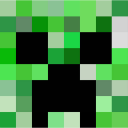
  • eye monster 👁️ : 200 points, but 400 if you use your axe to kill it
  • snowman (creeper :creeper: like minecraft: 250 points, but 500 if you use your axe to kill it

Enemies keep getting stronger as your score builds up, so be careful! You can either die by getting your health down to 0 or falling off the map somehow

Have fun! :minionlaugh:

AI DISCLOSURE! ⚠️

NO AI IS USED FOR CODE! However, I used AI to walk me through the process of using Blender and Godot together because this this is my first time doing that.

Please give me a good review so I can get an xbox, THANK YOU SO MUCH EVERYBODY

  • 31 devlogs
  • 49h
  • 13.27x multiplier
  • 649 Stardust
Try project → See source code →
Open comments for this post

1h 26m logged

pre-devlog ship! please give me a good review guys 🙏 get playing! just updated:


Changelog

  • added a score
  • axe sound
  • tried to fix enemy shooting, not sure if I really did though
  • menu and death screen
  • bigger map that has slightly random generation
  • enemies get bigger and stronger as score gets up and you survive for longer

Next steps:

ship!


Notes:

please give me a good score!

4
1
204
Open comments for this post

1h 56m logged

added creepers to my fps :creeper:


Changelog

  • imported the snowman monster model (only idle and walk animation so I had to manage)
  • make the snowman go towards the player
  • gave the snowman the same mechanics as a minecraft creeper

Next steps

  • more mobs
  • more guns

Notes

my last devlog flopped why

1
1
130
Open comments for this post

7h 50m 2s logged

if you’re reading this, reposting liking and comment help a lot and I really want this project to get out there, bc I’m working reallly hard on it so smash those like and follow buttons thanks :youtube: also my BIGGEST devlog yet, press read more! 🙏 (added guns 🔫🔫)

actual devlog below


TONS OF NEW CHANGES! 🔫 :happi:


Changelog (there’s so many, I couldn’t do it by memory and had to go to git history :minionlaugh:

  • added collision shapes to the environments! this includes the trees, the rocks, the glaciers, cacti, etc.
  • not sure if I included this in the last devlog but WIP winter field biome
  • exported player speed (probably also in the last)
  • INVENTORY!!! :celebrate: :celebrate: :celebrate: :celebrate: so far it has the axe, the pistol, and the rest is empty but I successfully built it so it is very easy to add to and implement into the game

  • a whole pistol 🔫🔫🔫🔫🔫 took a while (mostly the reason why this devlog is so long) it took SO LONG to get the blender model working because:

very unfortunate news :frown:

The person who I was getting ALL of my models from on sketchfab, @levraicoincoin DELETED their sketchfab account :trash: no idea why, crazy coincidence that it happpened the day after I published using their models. So it took so long to find someone else’s models (thank you new person who I dont want to delete their models 🙏). and this new person’s models are very different and it took me a very long time to get adjusted to this and figure out how to use it. @levraicoincoin was so simple, this one is not. all of the animations were packed into one action, and I did not know about Godot’s slice (wtv its called) feature, so I was trying to import them seperately through blender. huge fail, but finally figured it out so I guess it’s a success 👑 and another plus is that this person does have more models that are similar, and I’ve figured out how to use them so it won’t be that big of a struggle next time

anyway back to changelog

  • sucessfully got the pistol’s animations working
  • added an AudioBus that has signals of things like axe swung and shot fired
  • added a GameAudio node that uses the signals from AudioBus and plays a sound
  • made the pistol sound

this part was super tedious

  • made it so the player’s arms were unshaded (took so long and had to use my broken UnshadedLayer node from earlier, HUGE pain
  • removed the outline of everything

I guess that’s about it (probably a bit more that I’m forgetting but it’s fine, this devlog is huge)


Next steps (hopefully not as long)

  • more weapons! will not take nearly as much time I hope 🙏
  • add more enemies
  • fix some gun bugs because I don’t think it’s working that well when moving right now
  • find the best spot for health and inventory, probably bottom left corner
  • get an audio for the axe
  • get background music, meaning probably make a start and death menu
  • vehicle

Notes

if you really read everything, I appreciate it a LOT. all of my work related to this devlog took SO MUCH time, but I’ve gotten a lot of support. super grateful
probably best news so far, @tejaswa got unbanned after mistakenly being banned for fraud! 🎉 he inspired this project a lot, so I’m really happy for him, his project, and grateful for the support he gave me


that’s all, thanks! reposting liking and comment help a lot!

2
2
102
Open comments for this post

1h 14m logged

added health bar


Changelog

  • health bar
  • created a unshadedlayer node using subviewports where if you add a child to it, that child will be unaffected by shading like cel shading and pixel art (it doesn’t work that well yet, i’ll have to improve it)
  • changed player health to 5

Next steps

  • make something happen when you die which will probably involve creating a menu
  • inventory
  • improve the shading system

Notes

ignore the roblox thing

4
1
280
Open comments for this post

1h 46m 1s logged

blending and more environment stuff


Changelog

  • made the player speed exportable (I did this so I could travel over a ton of chunks faster when debugging to see how it looks like on runtime)
  • created a blendchunk node
  • created a giantblendchunk node which is just 3 blendchunks
  • the blendchunks properly detect any chunks near them and change their texture using a shader to make it look like a seamless transition (although I’ll admit that it could use some work because the cel shading makes it pretty weird)
  • changing the files made the github weird so I had to create a new local repo and fix all of the problems that showed up

Next Steps

  • maybe add a car because player on its own is too small?
  • lots of people said to add foliage and more immersive environments by adding falling things and stuff
  • automatic enemy spawning
  • make the worldenvironment color change in a blendchunk rather than having to actually go to the solid one

Notes

really hope I get an xbox so if you see this, please repost like comment whatever so this project is seen more, and also if your rating give me a perfect score! 🙏

0
1
95
Open comments for this post

2h 3m 54s logged

improved enemy finite state machine + environment :minecraft:


Changelog

  • made it so the eye monster explores and moves around the chunk, waits a second before choosing a new target destination on the chunk
  • automatically changes albedo color depending on the chunk it was spawned in, so if it was spawned in glacier, it adopts a dark blue tone
  • fields biome with a tree and actual grass rather than a carpet-like texture
  • idk if I mentioned in the last devlog so I’ll just generalize and say a lot more

Next steps

  • make environments less blocky and go smoothly into each other
  • foliage and more immersive environments, reccomended by @tejaswa and a few others
  • more enemies
  • secondary axe attack
  • new weapons

Notes:

it pmo to see how people will just completely ai literally EVERYTHING and still think they can get stardust for it. like literally everything, the code, the idea, the devlogs for some reason, and the readme. how lazy can you be? i know exactly who this is directed towards

1
1
122
Open comments for this post

1h 10m logged

lots of environment changes! (clean switching + new desert biome! 🏜️)

Changelog

  • added ways for the player to detect which chunk and biome it is on
  • main (root) node script that runs these player functions and also pulls the biome information
  • added an environment color variable to the biome data resources, and added appopriate colors for each biome
  • root node uses tweens to make the environment color correct upon switching biomes
  • desert biome! (just a cactus) :minionlaugh:
  • added two new contents to the wastelands
  • temporarily made the eye monster blue to look native to glacier biome

Next steps

  • edit eye monster fsm
  • add variants to the eye monster (my only enemy right now) that are native to each biomes by changing albedo color like the temporary change I just did
  • make chunks spawn enemies automatically like minecraft
  • use hdr to make a better sky and environment in general

Notes

i think it’s really coming together now, and this project now has the highest amount of hours so I guess that’s nice :minionlaugh: i like the minion thing

3
2
417
Open comments for this post

1h 41m 19s logged

if you’re reading this, reposting liking and comment help a lot and I really want this project to get out there, bc I’m working reallly hard on it so smash those like and follow buttons thanks :youtube:

actual devlog below

biomes using resources (finally made proper environments :minionlaugh:)


Changelog

  • first, I used a dictionary that would have all the information about each biome, like name, ground texture, things that are available to spawn, amount of things that can spawn, and size variation of things that can spawn
  • after it was getting efficient (i was plan on changing the method regardless), I used resources
  • made a chunk node which is 50x50 and takes a biome variable, so I can just import biome resources into it and it automatically gets updated 👏
  • created biome_data.gd and made it extend resources
  • made wasteland_biome.tres and ’glacier_biome.tres`, both resources with all the information above and all I have to do is attach it to a chunk
  • made the contents spawn in random locations in the chunk with varying amounts, varying types (for example there are 2 kinds of dead trees in the wasteland so each one is a random type), and varying sizes

Next steps

  • make enemies native to certain biomes where they spawn automatically in their biome
  • make biomes go smoothly into each other, maybe using a river in between
  • add more wasteland enemies
  • more content variation for wasteland and glacier
  • edit the eye monster fsm so it walks around when it doesnt see the player
  • something else that i forgot

Notes

Remember how a while ago I said I hate resources, well now they’re my favorite thing, they’re really useful and in this context, a giant lifesaver. the 3rd video shows how easy I made the process using resources. :minionlaugh: great progress so far, i think I can really get an xbox :xbox: soon

8
4
101
Open comments for this post

1h 51m logged

tell me what you think about the new cel shading! 👍

FPS + environment (pre-alpha)


Changelog

  • added a small FPS counter in the top left that would not get affected by the shaders by putting it in its own canvaslayer
  • made the fps cap 60
  • made the world environment have a orange theme, trying to mimic a volcano after-effect or something like that
  • got “alien planet” textures from the internet (i will credit in my readme)
  • added a chunk scene which is the ground that the player stands on in the video, it has customizable size texture, and albedo av1 scale and the transformations adjust to make the top layer flat on the plane using a little bit of math
  • adjusted the cel shading to make outlines bigger, not exaggerate dark colors, and get rid of foreign unrelated colors

Next steps

  • edit the eye monster enemy fsn so instead of staying in one place while idle, it moves around and kind of explores
  • for each chunk, randomly place 3-5 items along it like burnt trees or rocks for this volcano-like theme, those items will be different in different biomes
  • make chunks load when necessary and be able to load different biomes, probably split by a river or something
  • health tracker
  • inventory + new weapons

Notes

nothing much except I think I need some feedback on the new cel shading and environment. does it look good?

2
1
153
Open comments for this post

44m 2s logged

upcoming boss hopefully


just 45m of playing around and seeing what a giant boss would look like. if you don’t understand the image, the blue platform is a large version of where the player fights the regular enemies so imagine the scale

0
1
61
Open comments for this post

1h 59m 41s logged

Thank you so much for the support everyone! I got the most likes, views, comments, and overall support in my last devlog (and in this project as a whole) then ever before! 🙏 super thankful, but still, I hope you keep it coming! like and follow :youtube: (actual devlog below :minionlaugh:)

actual devlog below


a lot of enemy progress! :hooray:


Changelog

  • set up the enemy finite state machine:
    • enemies can walk towards the player (or run)
    • enemies can attack the player
    • hit state overrides everything so an enemy can be hit in the middle of attacking and the player will not recieve damage
    • don’t know how to do proper nested bullet points so bear with me
  • blended all enemy animations together so they flow properly
  • added health tracking to the player
  • added health tracking to the eye monster enemy
  • game quits upon player death (temporary death)

Next steps

  • add the world, procedurally or randomly generated alien planet terrain
  • add more animation-depth to the axe maybe?

Notes

to be honest right now, I don’t really know what the next steps are but my progress skyrocketed in the past few days so I think I’m gonna take a break. thanks for the support!

0
1
42
Open comments for this post

1h 15m 27s logged

if you’re reading this, reposting liking and comment help a lot and I really want this project to get out there, bc I’m working reallly hard on it so smash those like and follow buttons thanks :youtube:

actual devlog below


Successfully added more and blended axe animations hooray (probably pre-alpha) :minionlaugh:


Changelog

  • added trauma based screenshake upon hitting an enemy. it is easy to change the intensity of the trauma based on which enemy is hit
  • added jump start, falling, and jump end animations
  • blended all animations together (blending means that animations will not be snappy and flow properly into each other for realism)
  • made the godot run scene thing always open in full screen which is how I want the game to be played

Next steps

  • again nearly everything in last 2 devlogs
  • mostly for now just enemy fsms and AI

Notes:

Again, still pretty proud of my progress, lots of people showed interest so that’s nice.

6
2
298
Open comments for this post

1h 59m 30s logged

Added eye monster enemies (pre-alpha still don’t know)


Changelog

  • changed a platfrom from green to purple i guess, not permanent
  • added three enemies that spawn on the temporary platforms. the three enemies are of random size and health with a bit more conditions that I’m not gonna explain. so far, you are able to hit them and they have idle, die, and corpse animations but right now all they do is stare at you and get beat up

Next steps

  • add a map
  • basically everything in the last devlog
  • learn about fsn (finite state machines, the most popular way to code enemy AIs)
  • implement fsns

Notes

surprised I finished whole enemies in around 2 hours, thought it would be longer for my first ever 3d enemy. planning to add a super big boss that uses the same model which you need a gun to kill because whats an axe gonna do against it. really proud of my progress so far

1
2
69
Open comments for this post

1h 46m 22s logged

First weapon + shaders (still pre-alpha?)


Changelog

  • before I was using a third person controller but I updated it so the main files were first person instead of the “test” files like before
  • got blender axe model with imported animations from sketchfab (levraicoincoin) i’m going to use most of my fps models from him and I am very grateful for him so yeah
  • imported axe from blender to godot (thank you levraicoincoin for the process to be so easy)
  • added a cel shader theme
  • added a retro (pixelated) theme
  • the hands looked really weird with the cel shader theme so I overrode the material for a solid color which I think looks pretty good
  • also I guess changed the game idea once again to an unknown planet exploration game, and I guess only 3d now not 2.5d
  • small thing but changed the map layout to rid of overlap of csg’s

Next steps

  • add more weapons!
  • add enemies
  • add a boss
  • add a start screen, inspired by @tejaswa (got banned for some reason)’s Into the cosmos game which I really liked

Notes:

I really want feedback on how this looks so tell me what you think. there’s not really as much notes as last time except I’m really proud of how the game turned out right now.

1
1
93
Open comments for this post

2h 50m 32s logged

FPS Setup (pre-alpha version i guess idkbro)


Changelog (i saw someone else doing this so I’m going to do it now)

  • I made a test scene and dedicated nodes to make an FPS controller instead of a third person controller
  • uh did some research for fsm (finite state machines) which I’m gonna need probably
  • oh yeah I also did a ton of reconsideration for my project to change the theme so ultimately I think I’m going for a space themed FPS shooter where the character has to escape an alien prison and they can either take a rocket ship back home or probably stay and explore

Next steps

  • i want the game to be 2.5D so I’m gonna need to draw gun assets that are gonna be 2d (shouldn’t be too hard)
  • 2.5D alien assets
  • gun combat and gun variety eventually
  • a bit more but I’ll think about that in future devlogs

Notes

so this section has a lot. I’m gonna change the way I write devlogs because it’s cooler this way and also more professoinal so I’ll do better in the storytelling part of the ship. I went through a ton of like thinking and game ideas until I finally found one, and that process took so long I have no idea why. I went to a different state so I couldn’t work much then and I also watched bnd which was nice. so yeah I think I’m a lot more excited about the game now, why are emoticons no longer supported? :spiderman: see



so yeah dont forget to comment and smash that like button

0
1
42
Open comments for this post

37m 51s logged

bruh

a lot of reconsideration made me not want to take the route of my current game so far and go with a new one
I know what I need to in order to build some version of a 3d game so after I polish my skills better, I get started on that.
hopefully an fps

0
1
63
Open comments for this post

3h 46m 54s logged

Fetched animations from blender and sucessfully got them into godot! :blender: :godot:


This is day 10 somehow and for this devlog, I definiteily got a ton of progress. I stayed up until midnight trying to figure out how to get blender animations into Godot and I finally figured it out today morning.


The reason it took so long is because the materials were not exporting properly and there was also a lot of small suff I had to fix like getting rid of blender’s unnecessary default animations and also managing the size of the item. I had to make tee animation twice because it was corrupted by size and positioning in the first one. I also made this model like a year ago and not knowing where all the files were in my computer did not help 🤦


But at the end I guess I finally did it

There is still a lot left to do like

  • Just making it look better in general
  • figuring out why the head is always the same color as the environment
  • adding character select (going to be a huge pain to add new characters)
  • outline to make it look visually appealing
  • idk blend the animations
  • also make the running jump and falling animations

I have a lot of work set out for me so please smash that like button :youtube: and also just follow while you’re here thanks :minionlaugh:

2
2
97
Open comments for this post

1h 23m 49s logged

Day 9! (part 4) Made a walking animation! :blender: :blender: :blender:

Used Blender to make a nice walking animation!
And I did some coding which is why there is a lot more time logged.
What really took the longest was getting EpicFigRig to work because it does not work for the current Blender model and it took me a while to figure that out and go to an old version. :blender:

Will try to implement it in the game next, do not know how that will work out with epicfigrig

0
1
57
Open comments for this post

1h 33m 40s logged

Day 9 (part 3)!


In this larger session, I made a working character using capsules and capsule shaped hurtboxes which can move around, look around, and jump.


I used filler boxes and basically filler everything becasue I haven’t imported my models to blender yet.



Don’t forget to smash that like button and subscribe :subscribe: :like: :smash:

1
1
74
Open comments for this post

1h 20m 43s logged

:lego_bluecoin: :lego_bluecoin: :lego_bluecoin: Day 7 part 2:lego_bluecoin: :lego_bluecoin: :lego_bluecoin: !


This time I got another hour of work. I worked on projectiles in my game. I’m not gonna attach a video though because it’s going to mess up my storytelling score upon ship for having irrelevant devlogs (cuz people will not put the time and effort to actually grade stuff.


I did decide on a potential theme though.

I have tons of experience with lego :lego: animation and legos also don’t have many bones that I have to take care of, so I can easily animate them for my game.
The main restriction I have anyway is the models like creation and animation and using lego can make all of that easier


you can see some of my work Link youtube channel

the image is some of my :lego: :blender: work from last summer

0
1
36
Open comments for this post

1h 19m 8s logged

Day 7! One week of development! 🎉

I am so happy to have rerolled + 5. what a great day


I got a lot of practice and progress towards a prototype of a 3D game today, but still not the one that I want to be
the most relevant to this project.


I learend a lot about how to make cameras work in 3D by converting 2d coordinates into 3D. this also taught me how to use Input.get_vector() which returns a Vector2D and convert it into a Vector3D


I guess I also learned how to use markdown better 🤷


To be honest I still haven’t decided what kind of 3D game I want to make but I know I’m putting a lot of hours into it (because I want an xbox :xbox: )
I’m thinking most likely an FPS but there are tons of those and it wont be creative. I could also do a arena shooter or fighter using the Gobot open source 3d model, which I’ve already been implementing in my game right now.


That’s it

I think I have lots of motivation so this project will definitely have passion.


:minionlaugh: Gdquest is the best

0
1
41
Open comments for this post

17m 13s logged

Day 6 (part 2)

Just doing a little more because I am testing stardance’s time tracker and it’s behaving very weirdly when I add new projects.

also for some reason they aren’t counting my streak when it CLEARLY says 16 minutes logged today for this devlogs.

Fix your website stardance devs

3
1
164
Open comments for this post

15m 34s logged

Day 6!

I got a lot of work done today! I know it only says 15 minutes, but it was because I was experimenting and figuring out how to use something 3d on a different file, and I forgot to turn on the time tracking for a large majority of it.

I’m really excited to move on now that I finished this step.

Also, regarding the thing I said would be hard yesterday, it was too difficult for me to do, so I set it aside for now. I will get back to it when I think I am ready.

I found out that stardance only lets you make new lines on google chrome but not safari? it’s really weird so I had to switch browsers for this

0
1
33
Open comments for this post

21m 56s logged

Day 5 (part 2)   I hate resources, they are so annoying to use but I have to learn how if I want to build my game why does stardance keep messing up their text editors, I can’t even make a new line

1
1
43
Open comments for this post

24m 14s logged

Day 5!

I wasn’t able to get a lot of progress in today because I had other work to do. I’m kind of curious/afraid what will happen tomorrow because my learning plan has something very difficult which I really want to get over with so I can move on to the more fun parts. WHY DOES STARDANCE NOT LET YOU DO SHIFT + ENTER ANYMORE TO MAKE A NEW LINE?? the image is here because I’m a big fan of the outlines in the art style so when the game is being created, you will definitely see them

0
1
33
Open comments for this post

3h 12m 17s logged

Hello! 👋

This devlog marks the start of my 3d game.

I still have no idea what it is yet unfortunately but all I know is that this is going to be my first three dimensional game, and I think it is going to be a lot of fun to build.

I’m using Godot!

I don’t even know the version I think it’s like 4.6 or something

So you’re wondering why I have 3+ hours logged already

Well I don’t have the actual game built yet but I’ve been spending these 3 hours just learning what I need to know to get started. I only have experience with 2D so far so all of these tutorials and documents that I’m reading and watching will help me get some practice and knowledge or whatever I need for a successful game.

What do I want my game to be like?

  • I don’t know at all. :/
  • probably a gun game but there are so many like that so I want to have some unique mechanic movement-wise
  • I’m excited to build controller support- especially in 3D I feel like that’s what really defines a game and triggers the pride in me that I actually build a real game

What do I want for the future?

  • I really hope this project turns into a long-term one that I can always just work on on the side.
  • I want to publish to steam and make money 💰💰💰

I’m bored of writing now so here are some pictures of my practices (unrelated to the relevant 3d game of this project)

(i’m writing super long devlogs so I can get a good storytelling score because I really want an xbox)

1
1
48

Delete project?

Are you sure you want to permanently delete this project? This action cannot be undone.

All devlogs, followers, and associated data will be removed.

Followers

Loading…