.png)
HighlightClipper
- 4 Devlogs
- 18 Total hours
Generate a compilation of highlights of a soccer match from the full match recording.
Generate a compilation of highlights of a soccer match from the full match recording.

It’s getting better at analysing and generating the highlight montage, and I’ve added multiple API end points to connect the backend and the server.I’ve made some UX changes, added a video preview on the website, added logging, implemented gracefully handling errors, generated graphs, etc.
But before I could pop the champagne, I ran into one last, incredibly stubborn road block: YouTube’s Anti-Bot Algorithm.

Turns out, when you try to automatically download several 90-minute, high bit-rate 1080p soccer matches in rapid succession, YT’s servers start asking questions.
My terminal went from showing beautiful, smooth download progress bars to talkin bout sum HTTP Error 429: Too Many Requests and Sign into confirm you're not a bot. 
I spent an hour or two trying to fix this, trying stuff like importing cookies from chrome (no luck) but eventually found a workaround! By emulating an iOS device, where the anti-bot algorithms are more lax, I could easily pretend to be a human… I mean, I am a human tho!
I’ve talked a lot about the technical aspects of my project in these devlogs. But as I finilize the core functionality of HighlightClipper, I want to talk about the actual experience of being a developer right now.
I’ve hit The Dilemma.
HighlightClipper works. The MVP is done. But looking at my code, my fingers are itching to add more features. I want to refactor some of my backend to be more “professional”. I want to add an API schema and write unit tests. I want to add more analytics on the results page.
But at the same time, the allure of a brand-new, cool project is calling my name. Do I stay and polish this project into an even better application, or do I pack up and build the next cool thing?I genuinely don’t know the right answer. I’d love some advice from the community…



In the last update, my project could finally (yes, finally! ) take on a 90 minute video and identify the highlight timestamps, and generate the final clipped montage - all in one go. 
All that was left to do was give HighlightClipper a worthy UI, befitting its mighty purpose.

Now, I’m just as patient as the next person, but waiting for the same video to download again and again is not a pleasant experience. 
So, I decided to implement caching. Given the YT video id, I could store the relevant data in an sqlite3 database!
Now that caching was implemented, I could focus fully on making a good looking UI. Being a big fan of neo-brutalism themes, I tried to challenge myself by building one. And, let’s be honest, does it not look PRETTY?
So far there’s a home page, with a crowd noise vs time graph so that users can understand how highlight-worthy moments are identified. Then they can select the video they want to analyse, which can be any YouTube video or from a selected catalogue of videos pre-downloaded (saves time spent downloading!  )
)
All I’ve got left to do now is to connect the backend and frontend using FastAPI. All feedback in the comments are appreciated! See you next time!



Last time, I successfully built an audio pipeline that listens through a 45 minute match recording and spits out the exact timestamps of every major spicy moment. (Through crowd volume analysis.)
My goal for today: Pass those timestamps into FFmpeg, slice those highlights out, and save the video. Easy, right? Right?

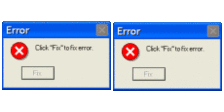
And then I saw him: NAL Unit Errors.
FFmpeg immediately started throwing a fit. All I could stare at was a wall of red text for hours on end, trying to figure out what was going on. The error seemed to occur when I tried to slice a video after the 5 minute mark.
I spent hours tweaking my FFmpeg commands. I tried re-encoding, I tried Apple Silicon hardware acceleration h264_videotoolbox, but nothing worked. It always crashed at exactly the 300-second mark.
The consistent crash-time gave it away. Turns out, the video had a corrupted index map (the moov atom) due to me downloading it from a sketchy website. Bruh.
When FFmpeg tried to “fast-seek” (-ss), the map sent it to the wrong byte address, and landed in the middle of some garbage data stream, causing all the errors.
 ⚠️
⚠️
And so I switched to yt-dlp to ensure download quality. Then, I sliced each individual highlight moment using this command:
ffmpeg -y -ss <clip_start_time> -i match.mp4 -t <duration> -c:v copy -c:a copy temp_clip_i.mp4
And then, after we got all the individual clips, I could easily concatenate them using the following cmd:
ffmpeg -y -f concat -safe 0 -i clips_list.txt -c copy highlights.mp4
And with that, we get our first demo of this project working quite well! There’s some fine tuning to do with the parameters like
 continuity_time and sustained_time, but it’s a work in progress. 🚧
Now I need to integrate all the different aspects of this project together. The goal is to be able to provide the YT link of the video you want to generate highlights of, and the program being able to automatically download, process, and generate an accurate highlight montage of the game, with all the goals and important moments included in it. See you later! 
Take a look at the processed highlights video demo below! As always, please do drop your feedback in the comments section. Took about 18 seconds to process 45 minutes of match recording
Having to sit through 90 minutes to create a highlight video is painful (trust me, I’ve tried). But that got me thinking: What if you could automatically generate a highlight video, given the full match recording?
I booted up my laptop and put on my programming hat.
I needed a way to identify the important “highlight-worthy” moments in a game, and three approaches immediately came into mind:
Initially, I encountered so many problems dealing with crowd noise. What do you MEAN Barcelona fans are louder than Man City fans? Dealing with variable crowd noise baselines was a real headache.
But then, I struck gold! By calculating the RMS (Root Mean Square) crowd energy, and considering the top 10% percentile as big moments, my highlight clipper could dynamically adapt to different matches, no matter the baseline volume.
All the peaks refer to pivotal moments, which is exactly what I wanted! This approach certainly looks promising, and it identified all the key goals, big chances and fouls that happened in the first half of Barcelona vs Real Madrid 2026.
I really wanted this method to work, but I’m sorry to inform you that I could not get this to function reliably. There’s plenty of other noises that the crowd makes that fall in the 2-4 kHz range.
I tried plotting a spectogram, but that only left me even more confused. Let’s hope I can make sense of it by next time!
I hope you’ll follow my journey, and please drop a like if you thought this was interesting!

