Devlog #2: How I fought FFmpeg and won. 🥊
Last time, I successfully built an audio pipeline that listens through a 45 minute match recording and spits out the exact timestamps of every major spicy moment. (Through crowd volume analysis.)
My goal for today: Pass those timestamps into FFmpeg, slice those highlights out, and save the video. Easy, right? Right?
The Final Boss 
And then I saw him: NAL Unit Errors.
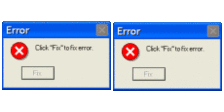
FFmpeg immediately started throwing a fit. All I could stare at was a wall of red text for hours on end, trying to figure out what was going on. The error seemed to occur when I tried to slice a video after the 5 minute mark.
I spent hours tweaking my FFmpeg commands. I tried re-encoding, I tried Apple Silicon hardware acceleration h264_videotoolbox, but nothing worked. It always crashed at exactly the 300-second mark.
The Plot Twist
The consistent crash-time gave it away. Turns out, the video had a corrupted index map (the moov atom) due to me downloading it from a sketchy website. Bruh.
When FFmpeg tried to “fast-seek” (-ss), the map sent it to the wrong byte address, and landed in the middle of some garbage data stream, causing all the errors.
 ⚠️
⚠️
The Solution
And so I switched to yt-dlp to ensure download quality. Then, I sliced each individual highlight moment using this command:
ffmpeg -y -ss <clip_start_time> -i match.mp4 -t <duration> -c:v copy -c:a copy temp_clip_i.mp4
And then, after we got all the individual clips, I could easily concatenate them using the following cmd:
ffmpeg -y -f concat -safe 0 -i clips_list.txt -c copy highlights.mp4
And with that, we get our first demo of this project working quite well! There’s some fine tuning to do with the parameters like
 continuity_time and sustained_time, but it’s a work in progress. 🚧
Next Up
Now I need to integrate all the different aspects of this project together. The goal is to be able to provide the YT link of the video you want to generate highlights of, and the program being able to automatically download, process, and generate an accurate highlight montage of the game, with all the goals and important moments included in it. See you later! 
Take a look at the processed highlights video demo below! As always, please do drop your feedback in the comments section. Took about 18 seconds to process 45 minutes of match recording
Comments 8
impressive!
there’s definitely an audio delay, hope you can solve it, this is very cool
@etaiami09-cmd you’re right! how did i not notice that before? tysm ill get to fixing it :)
HOLY MOLY
is this ai generated?
@minicpm I’ll take that as a compliment… What about this felt like AI to you?? =D
its a cool project! its just when i see emojis in the titles, it feels like ai a bit
@minicpm Those are not emojis lol… they’re gifs exclusive to stardance!
Sign in to join the conversation.