Continuing on improving the ui and some refactors
Number input styling 
Those now also have better tui like styling. I added sqaure brackets [] to the ends, the hover background highlighting and a blinking underscore if you focus on it. Though am unsure whether it is clear enough that you are supposed to enter text into them. If you’ve got any improvement ideas let me know.
Loading indicator 
When something is loading I can add the loading class which displays the typical tui animation spinner before it. The one made up of brail dots ⠧
Central Icon 
I felt that the run button could be unnoticed so I added an icon to the middle of screen. It also shows the loading to make it more clear that the script is actually being run.
Error pop up 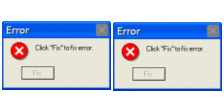
Instead of just having some red text in the console I add a real error pop up with a blinking dashed red outline.
Performance increase 
I spent some time thinking about doing a bunch of stuff to make my wasm multi threaded and async, which included using nightly features, a service worker shim to change http headers, etc. Because I felt that the script running was way too slow and I wanted better performance and the ability to easily cancel the running wasm. Currently the wasm is blocking and goes over each pixel one by one.
But before I implemented that I did some other performance changes, like only creating 1 shared rhai engine for all pixels. Before every pixel created its own rhai engine. This change was way more substantial than I thought, as it took the per pixel time from 0.5ms down to 0.04ms  . This means 255*255 pixel or 65k pixel don’t take 12s but 2s. This is such a change that I think implementing all the async and multi threading would just be a waste of time, so I’ll stash that idea for now.
console 
I also styled the console part and added all the ui logic. I want to give the user the option to use a print function in there script for debugging purposes. Then in the console it’ll show on which pixel the debug comes from and what it says. But as the image can get pretty big and the user might print once or more per pixel, just adding some Nodes to a console div would probably blow up  everything. So at first I experimented with a canvas. The canvas overlays on the console div and then behind it is a big spacer which allows for scrolling, some code would then change what the canvas shows based on where the back is scrolled to. After I had gotten it to display some logs nicely, I realized that this way doesn’t allow the user to highlight and copy the logs, which is probably something someone might want to do.
So I switched the canvas out with a normal div. Instead of drawing the logs to a canvas the logs do get added as nodes, but only the visible ones and the scrolling changes which are shown. This way the user can interact with them like normal text and the DOM doesn’t have to render 1k+ nodes. This seems to work really good, the only problem was getting the scrolling to work while the log nodes occupy the same space, but with some css trickery and EventListeners I can pass any scrolling done on the logs through to the background scrolling element.
Refactoring
I am still working on the wasm part of allowing the user to use print(). While implementing that i had to change what it outputs and refactored the rust project structure. When I then got to the part where the browsers main ui thread interacts with the web worker which runs the wasm, I realized how badly that part was written, with so many loose interfaces and strings. So I am currently still refactoring that and trying not to loose my mind. Still not a big fan of  and
and 

 !
!

 , I yearn for hardware again. I am aiming to finish this in the next 2 weeks!



 . This was due to it importing a bunch of syntax stuff for different languages. Thankfully changing one
 .
.





 and as soon as
  github gets itself back together I can also push the newest changes to it!